
Title screen
Dashman DX

A dash-em up featuring hardcore walljumping and breath-taking music by super multifaros (http://multifaros.info.se)
Awards
Scores
Ratings (show detail)
Overall: 3.4
Fun: 3.6
Production: 3.2
Innovation: 3.4
Files
| File | Uploader | Date |
|---|---|---|
|
DashmanDX.zip
— final
DashmanDX py2exe build |
buffi | 2007/04/07 21:19 |
|
dashmandx_final.tar.gz
— final
Final Game (16 levels) |
buffi | 2007/04/07 20:21 |
|
titlescreen.png
Title screen |
buffi | 2007/04/07 13:09 |
|
screendash.png
Gameplay pretty much done |
buffi | 2007/04/06 21:37 |
|
dashman_0.95.tar.gz
New demo. Now with lvl editor, custom levels and 9 normal levels |
buffi | 2007/04/06 21:36 |
|
dashman_0.91.tar.gz
New demo. Now with a bunch of cool stuff |
buffi | 2007/04/06 00:27 |
|
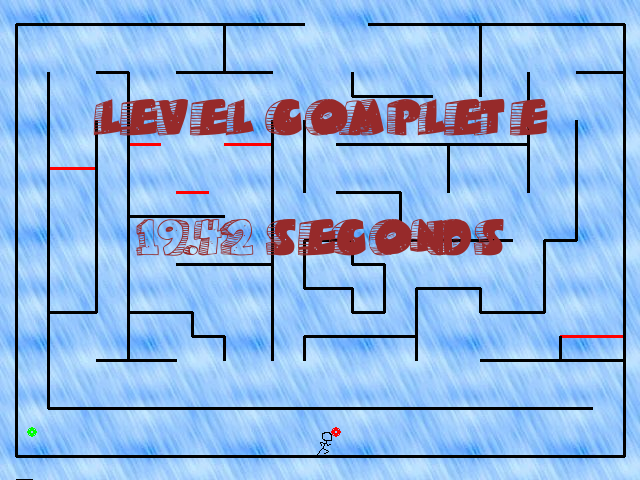
finishedlvl.png
Finally possible to finish levels |
buffi | 2007/04/05 17:07 |
|
dashman_0.2.tar.gz
New and improved demo! |
buffi | 2007/04/04 22:30 |
|
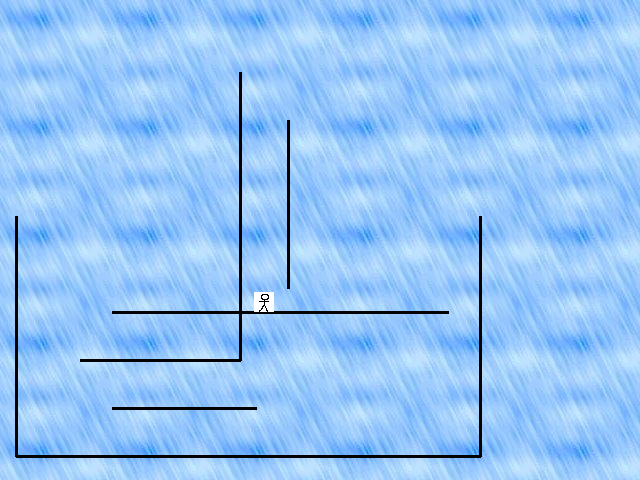
dashman_test.png
Test level |
buffi | 2007/04/04 22:28 |
|
dashman.tar.gz
Dashman DX engine test |
buffi | 2007/04/03 19:09 |
|
leveleditor2.png
Leveleditor |
buffi | 2007/04/02 20:18 |
|
dashman.png
Basic engine to play around with |
buffi | 2007/04/01 20:57 |



Diary Entries
Moving along nicely
 buffi on 2007-04-01 16:08
Day 2 - Level editor :)
buffi on 2007-04-02 19:33
A Demo/Engine test! Try it out and tell me what you think
buffi on 2007-04-03 19:19
Been making solid progress so here is a demo of what I've got so far.
Dashman DX demo / engine test (requires pygame)
Controls
- Left/Right arrow = move left/right
- Up arrow = Jump
- Spacebar = Dash
When walking, use dash to get a speedboost in that direction.
When jumping against a wall you can press Spacebar to walljump in the other direction
Important: Some people seem to have problems walljumping. You do not need to press any arrow key when wall jumping from a wall. Just jump up against the wall and press space. If this sends you against another wall you can simply press space again to wall jump again and so on.
Level editor
This is also a level editor! :)
It is however really lame so far but the controls are (can be used while playing).
- Right click a wall/floor to remove it
- Use the number 1-4 on the keyboard to shift between input modes. The modes are
The modes are
- Start position
- End position
- Platform / Wall
- Trampoline
When placing 1 and 2, simply press where to put it. When placing 3 or 4, press two positions aligned horizontally or vertically to draw it between them.
Give me comments! :)
Yay! Walkcycle stick-man-thingie pic!
buffi on 2007-04-04 18:29
Took me too long...
I really shouldn't do graphics
New demo. Now with animations!
buffi on 2007-04-04 22:33
Controls are still the same as the last demo.
Controls
* Left/Right arrow = move left/right
* Up arrow = Jump
* Spacebar = Dash
When walking, use dash to get a speedboost in that direction.
When jumping against a wall you can press Spacebar to walljump in the other direction
Major progress all over the place
buffi on 2007-04-05 17:13
- Gotten fonts working
- Fixed the horrible structure of my code
- Tweaked the physics so that it works nicer
- Made a main menu (that works!)
- Made pretty much the entire engine for playing levels after eachother and so on... works nicely
- Found a (good) musician for the project!
- Made it possible to finish levels
Still left to do is
- Finish the level editor
- Actually make the levels for the game :)
- Get some more graphics for backgrounds and so on
- Fix the running of custom maps from the level editor
- High score table (if there is enough time)
- Uploading/downloading of custom levels to the interweb (if there is enough time)
It looks promising though. This game will be very nice :)

New demo again. Now 9 levels
buffi on 2007-04-06 21:51
And yeah, the first jump at level 3 is a bit tricky... might fix that
Dashman DX has gone final!
buffi on 2007-04-07 21:43

Finally! Dashman DX has gone final. Feauturing 16 levels of pleasure, nice music by super multifaros and a level editor that you can generate custom levels in (that you of course can play later.
py2exe windows release
Regular release (requires pygame)
Spam me with comments